Hello all guys! Welcome back to word.rean.me by Rean Computer 101!
Today I share with you super special font collection for Khmer Unicode: Khmer Unicode OS Kh Auto Fonts!
If you work with Microsoft Word, Excel, or PowerPoint and need to type Khmer documents, sometimes you feel tired because you must switch keyboard layout back and forth just to type Khmer numbers (០, ១, ២, ៣).
With Kh Auto Fonts (like Khmer OS Battambang Auto, Khmer OS Muol Auto, etc.), whenever you type English numbers 0, 1, 2, 3, font will automatically change them into Khmer numbers ០, ១, ២, ៣ right away! Very smart and save so much time!
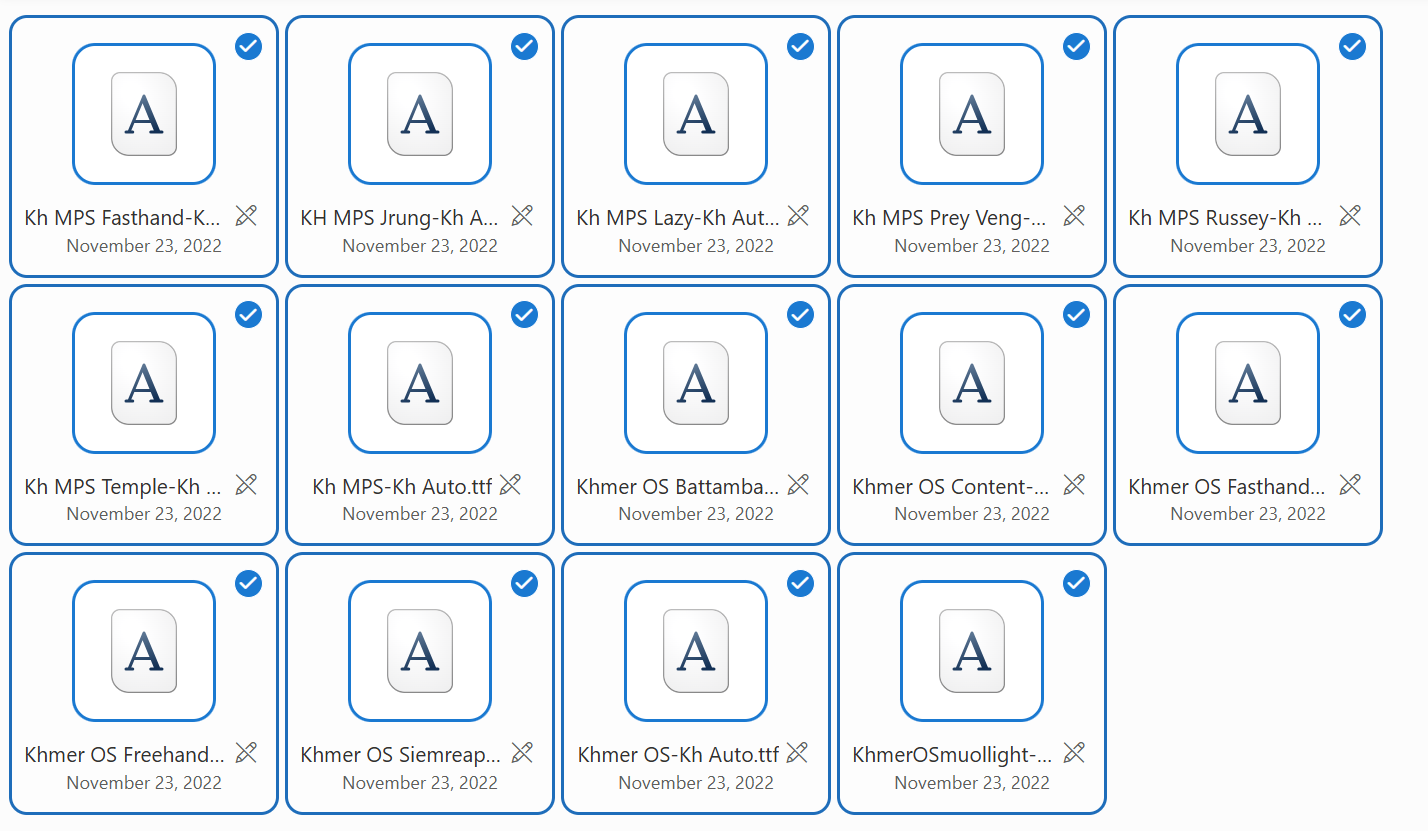
📥 Free Download Khmer OS Kh Auto Fonts:
Here is list of fonts included in this package:
- Kh MPS Fasthand-Kh Auto
- Khmer OS Battambang-Kh Auto
- Khmer OS Content-Kh Auto
- Khmer OS Fasthand-Kh Auto
- Khmer OS Freehand-Kh Auto
- Khmer OS Siemreap-Kh Auto
- Khmer OS-Kh Auto
- KhmerOSmuolight-Kh Auto
- Kh MPS Jrung-Kh Auto
- Kh MPS Lazy-Kh Auto
- Kh MPS Prey Veng-Kh Auto
- Kh MPS Russey-Kh Auto
- Kh MPS Temple-Kh Auto
- Kh MPS-Kh Auto
Click link below to download full Khmer Unicode Kh Auto Fonts zip package file for free:
👉 Free Download Khmer Unicode Kh Auto Fonts Package (.zip)
⚙️ How to Install Kh Auto Fonts (Windows & Mac):
- Download: Click download link above to get
Khmer Unicode Kh Auto.zip. - Extract: Right-click downloaded file and choose Extract All... (on Windows) or double-click
.zipfile (on Mac). - Install on Windows: Select all font files (
Ctrl + A), right-click > click Install for all users. - Install on Mac: Open Font Book app, drag and drop font files into Font Book window.
Alt + F4 on Windows or Cmd + Q on Mac) and re-open it so new Kh Auto fonts show up in font list!💡 Useful Tips for Using Khmer OS Kh Auto Fonts:
- Tip 1: Auto Convert English Numbers (0-9 ➔ ០-៩)
When you choose Kh Auto font in Word or Excel, type standard number key 1, 2, 3... on keyboard. It will display automatically as Khmer number ១, ២, ៣... without switching keyboard layout!
- Tip 2: Perfect for Page Numbers, Footers & Tables
Kh Auto font is very useful for page number, table list number, header, footer, and automatic numbered lists in official Khmer letters.
- Tip 3: How to Keep Normal English Numbers?
If you want English numbers 1, 2, 3 to stay in English while typing, just highlight those numbers and change font name to standard font like Khmer OS Battambang (non-auto) or Times New Roman.
- Tip 4: Use in Excel Formulas
Even though Kh Auto font displays numbers in Khmer digit ០-៩, Microsoft Excel still understands them as real numeric value for formula calculation (SUM, AVERAGE)!
🔗 Related Resources & Video Tutorials:
- 🔤 How to Install Khmer Unicode Fonts on Mac Computer
- ⌨️ How to Install Khmer Unicode Keyboard Layout for Mac OSX
- 📄 Free Download Microsoft Word Book PDF in Khmer
- 🎯 Practice Khmer & English Typing Online (Typing Hero)
Hope this Khmer OS Kh Auto Font collection make your office work much easier and faster! If you have any question or problem, please comment below. Happy typing Khmer!
Looking for Free Microsoft Excel Downloads & Lessons?
Explore free Excel formula guides, Khmer PDF ebooks, keyboard shortcuts, and templates.

Rean Computer 101
Sharing step-by-step Microsoft Word tutorials, Khmer document formatting guides, office templates, and productivity keyboard shortcuts.